Karaoke Instructions
Please Read: Karaoke Guidelines
The following rules in are effect for use of the karaoke equipment.
- Special permission is required to access the karaoke cabinet in the cabin. Send us a message if you would like access.
- The karaoke set up at our cabin is meant for your personal enjoyment inside the cabin.
- Quiet hours are in effect in the neighborhood from 10PM to 8AM, so please monitor the sound levels (see notes below on best sound levels). Any noise complaints from surrounding neighbors will result in additional fees for your stay.
- Please do not attempt to take the karaoke speaker outdoors.
- Any damage to equipment or missing equipment will result in additional fees for your stay.
- Bottom line: have fun, respect the equipment, and don’t be jerks to our neighbors. Sound travels far at the lake due to lack of other noise to drown it out.
Set Up Instructions
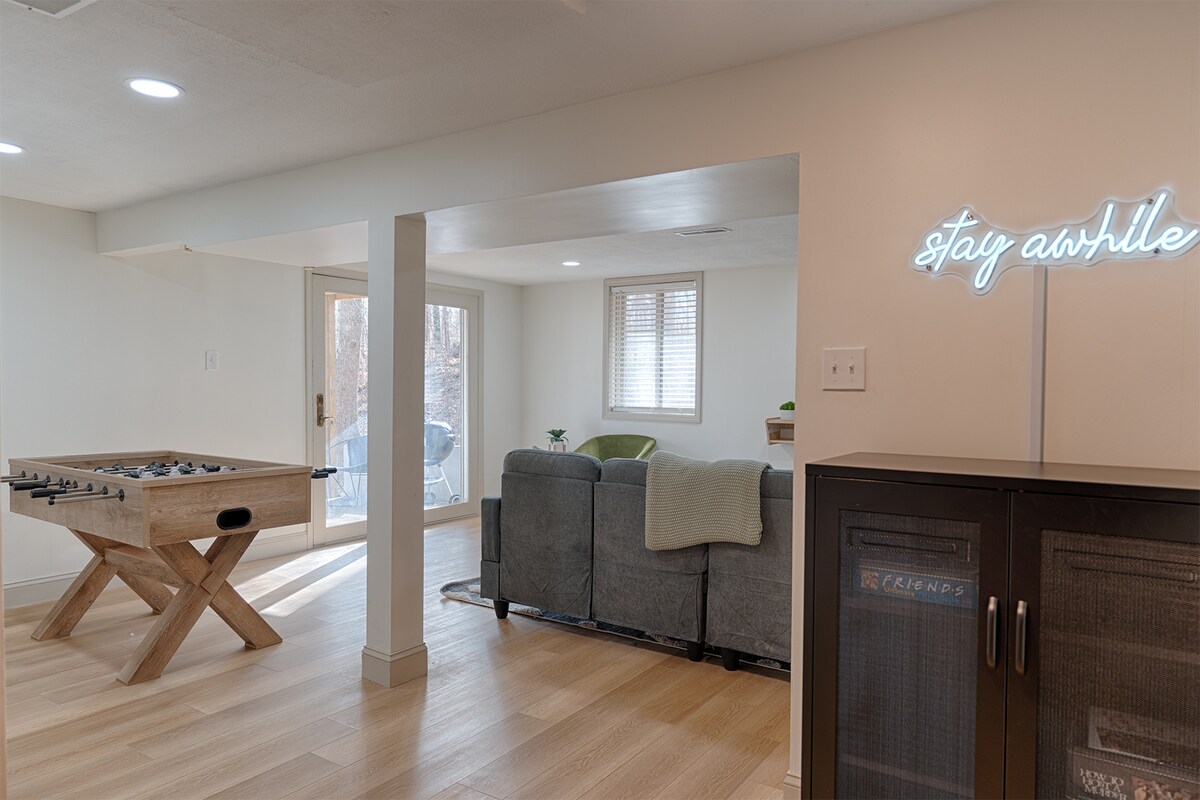
The karaoke set up consists of a JBL Bluetooth speaker, one wired microphone, and one wireless microphone. By default, the speaker will connect to the television in the basement as a sound output for the television. There is a karaoke app on the television that you can then use to select songs to sing. Follow the instructions below to get started with the TV app and karaoke speaker.
- 1
Download the FREE Kanto Karaoke app from your phone’s app store.
Note: The phone app is optional, but with multiple singers it allows for individuals to select songs while others are singing and queue themselves up to sing, along with some other fun stuff.
- 2Turn on the smart TV in the basement.
- 3
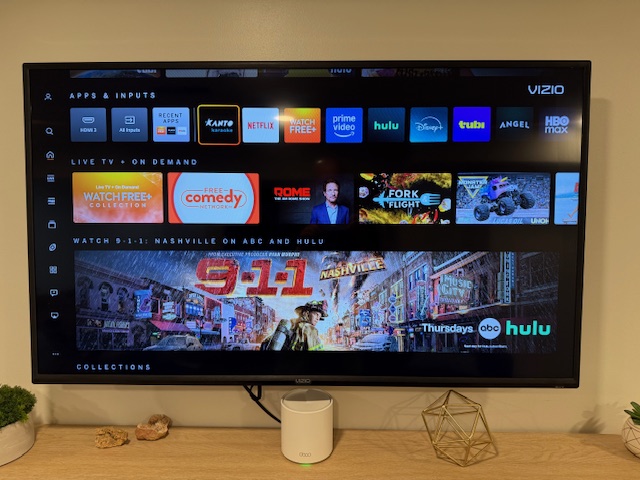
From the TV menu, select the Kanto Karaoke app.
- 4
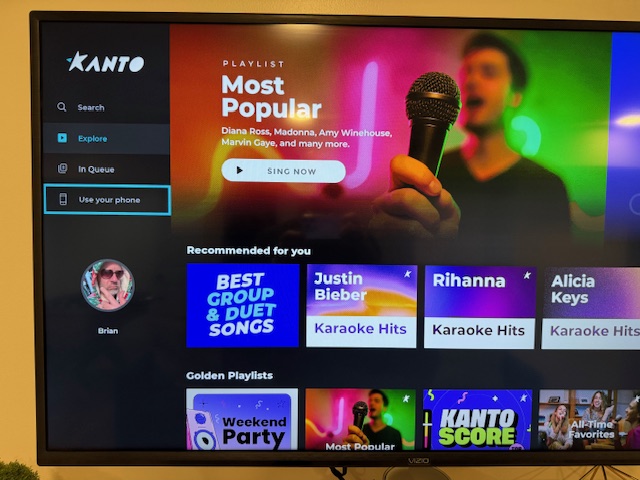
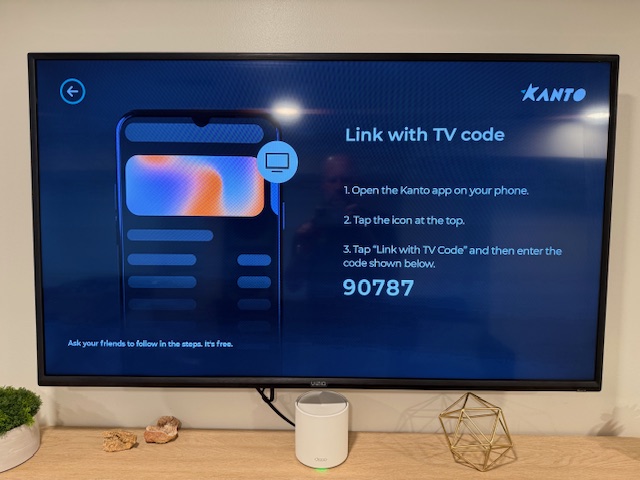
If you plan on using the Kanto Karaoke phone app as a companion for your karaoke session, in the Kanto Karaoke TV app, select the ‘Use Your Phone’ option.
- 5
Follow the on-screen instructions to connect your phone app to the TV.
- 6
After unlocking the cabinet, locate the power button on the speaker and press the button to turn on the speaker.
- 7
Once the speaker is on, you should here a series of tones that indicates it has connected to the TV. Play a song from the Kanto karaoke TV app to confirm the TV has connected to the JBL speaker. If no sound is playing from the JBL speaker, check the following:
- – The volume is turned up on the speaker: Use the + and – buttons to adjust the volume. A colored circle on the front of the speaker will indicate the sound level.
- – The TV is connected to the speaker: Use the TV menu button to review the audio settings on the TV to make sure it is using the speaker for it’s output.
If you hear your Kanto karaoke song playing from the speaker, you are ready to move to the next steps.
- 8Connect the microphones to the speaker. The wired microphone connects to the microphone port on the top of the speaker. The wireless microphone will connect automatically when turned on.
There are various microphone tuning knobs on the top of the speaker, such as volume, bass, treble, and echo.
- 9Have fun!
Clean Up Instructions
Once you are finished with your karaoke session, please do the following:
- Do not leave microphones or cord laying around for animals or children to find.
- Return all the microphones to the designated bins
- Wrap up the microphone cord and place it its designated bin
- Make sure the volume on the speaker is set to about 40-50% max volume.
- Power off the speaker by pressing and holding the power button
- Close up the cabinet.
- Finally, lock the cabinet and make sure you spin the combination numbers to a different code than the one used to open the lock
If you have any issues with the system, please feel free to message us and we’d be happy to help!